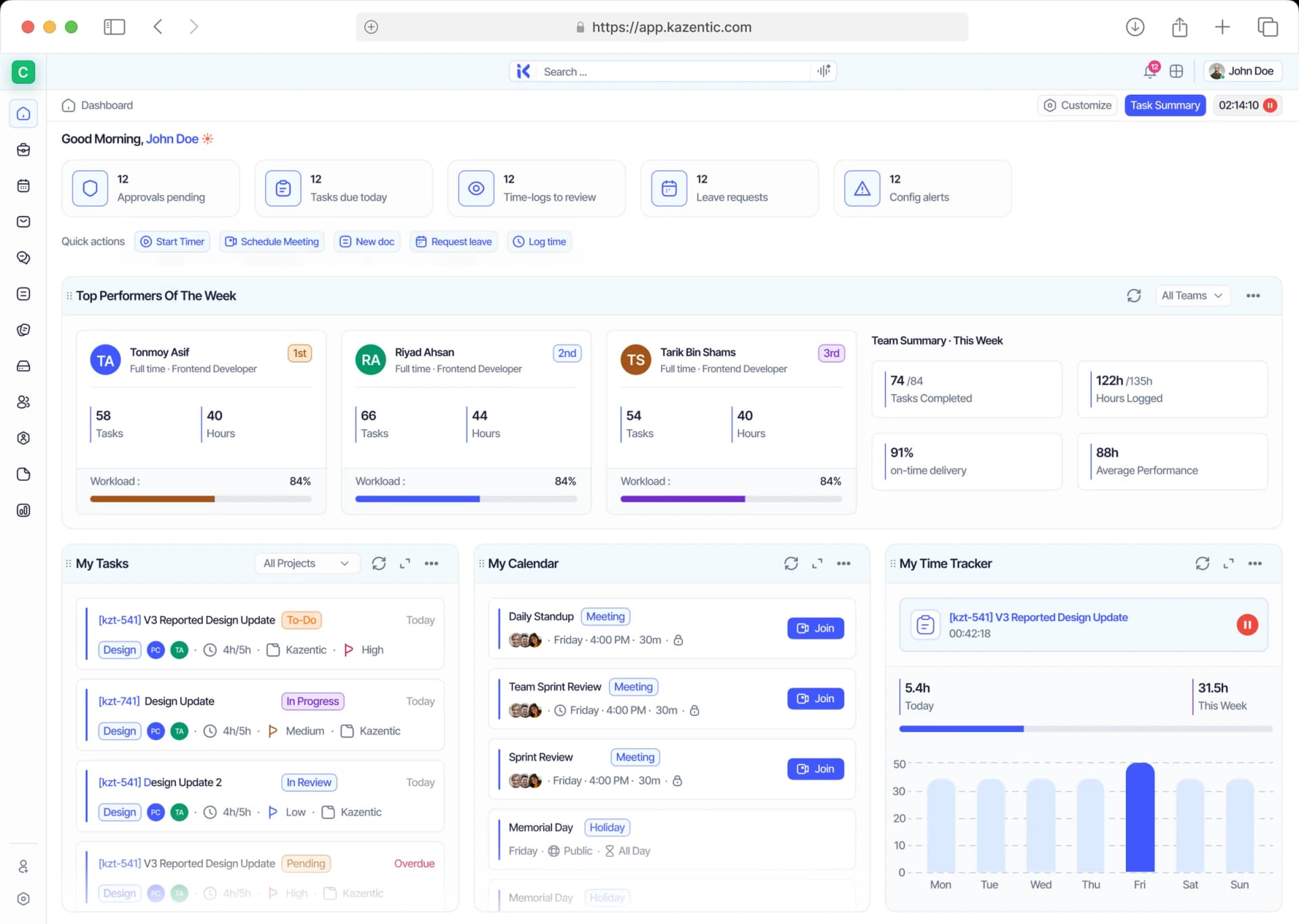
Track Every Hour, Deliver Every Project on Time
Keep your team's productivity in check with seamless time tracking, real-time insights, and detailed reporting to maximize efficiency and project success.
Key Features
AI
Performance Insights
Performance Insights
Real-time Tracking
Real-time Tracking
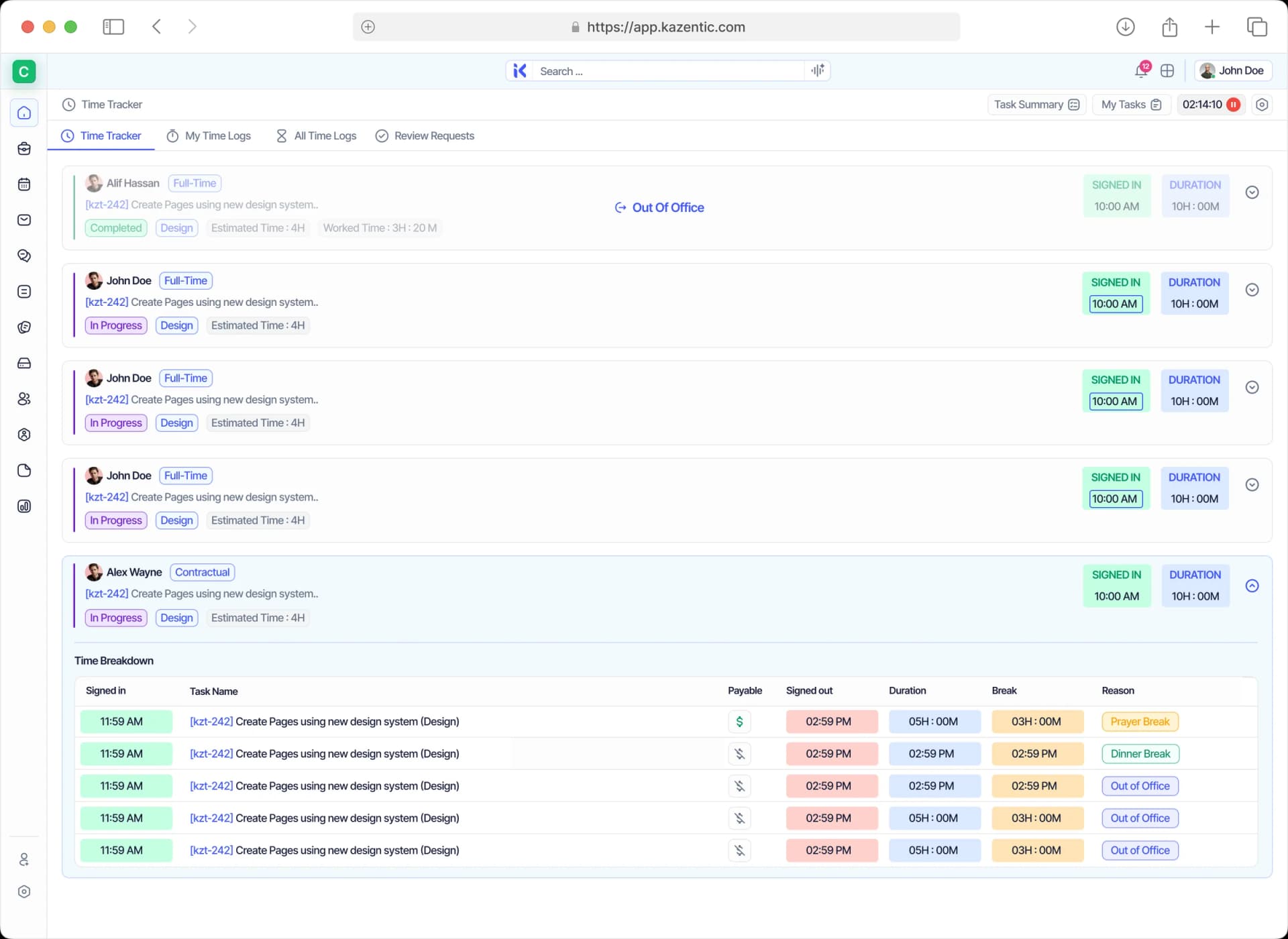
Break and Overtime Tracking
Break and Overtime Tracking
Task-Based Time Allocation
Task-Based Time Allocation
Attendance Breakdown
Attendance Breakdown
Project-Wise Tracking
Project-Wise Tracking
Employee Activity Monitoring
Employee Activity Monitoring
Detailed Work Reports
Detailed Work Reports
Automated Time Logs
Automated Time Logs
Timesheet Approvals
Timesheet Approvals
Track Time, Boost Productivity, Achieve More!
Tracking work hours manually can be overwhelming and inefficient. Kazentic simplifies time management with powerful automation, insightful analytics, and flexible reporting to help teams stay on top of their schedules and tasks effortlessly.
Without
Kazentic
Lack Of Work
Transparency
Missed
Deadlines
Inaccurate
Time Logs
With
Kazentic
Automated
Time Logs
On-Time Task
Completion
Transparent
Work Insights
Empower Your Team with Smarter Time Tracking
From the first click of the timer to an approved timesheet — every hour lands on the task it belongs to, split payable from non-payable.
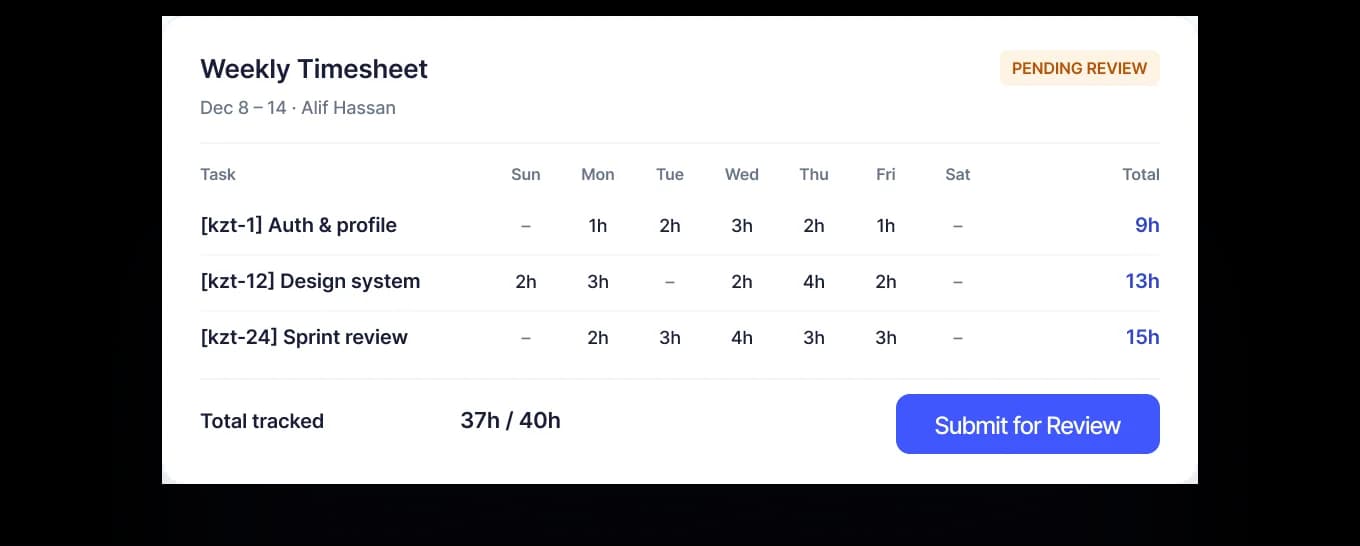
Weekly Timesheets, Ready to Approve
Every logged hour lands in a Sunday-to-Saturday grid with daily totals — a whole week is one submit away from approval.
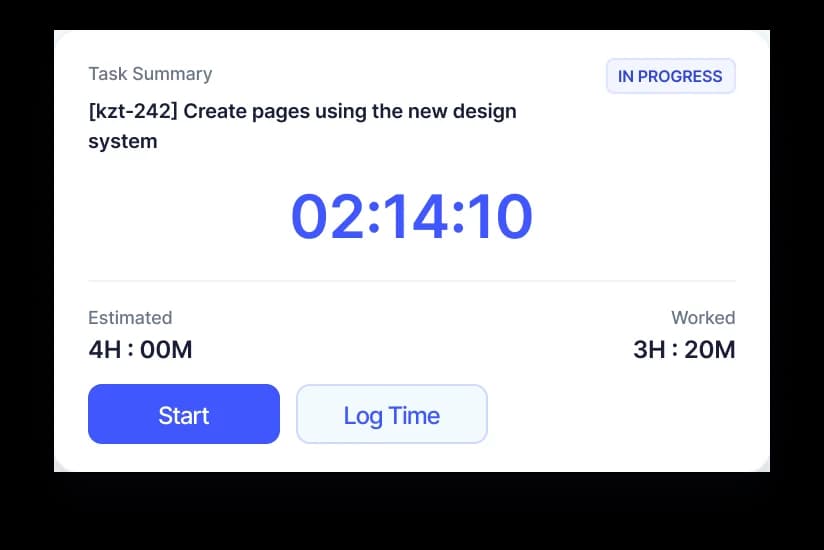
A Timer That Knows the Task
Start the clock from any task and watch worked time run against its estimate — or add the entry manually after the fact.
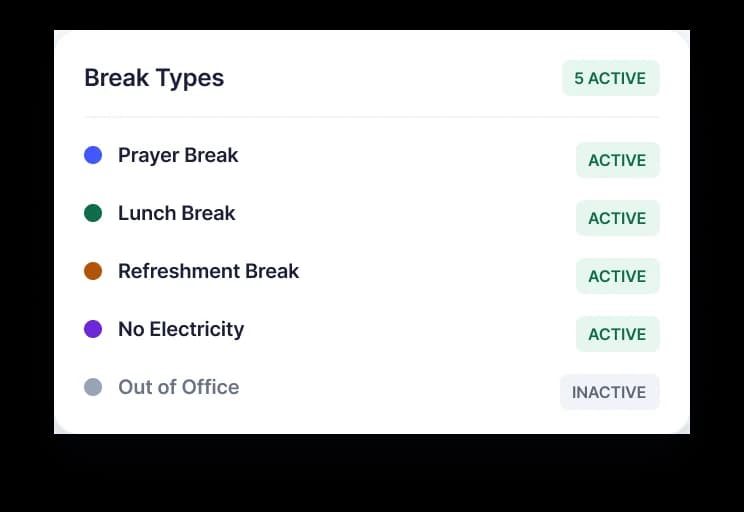
Breaks on Your Terms
Prayer, lunch, refreshment, out-of-office - define the break types your team actually takes.
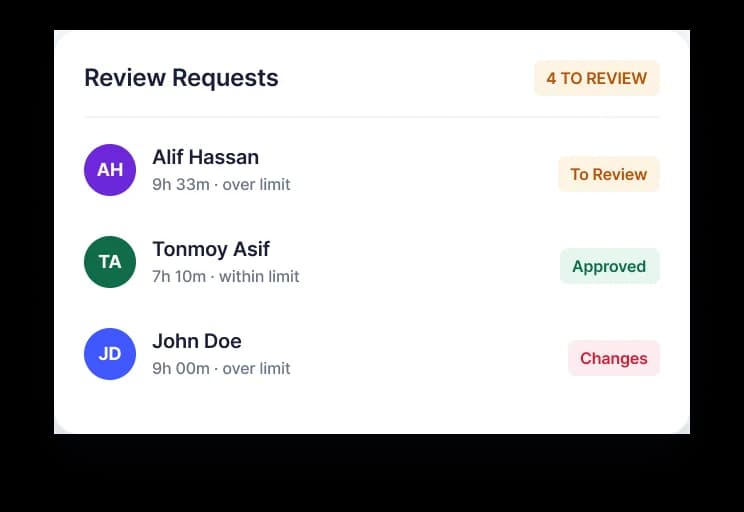
Approval Without Chasing
Submitted time lands in a reviewer’s queue, flagged when an entry runs over its limit.
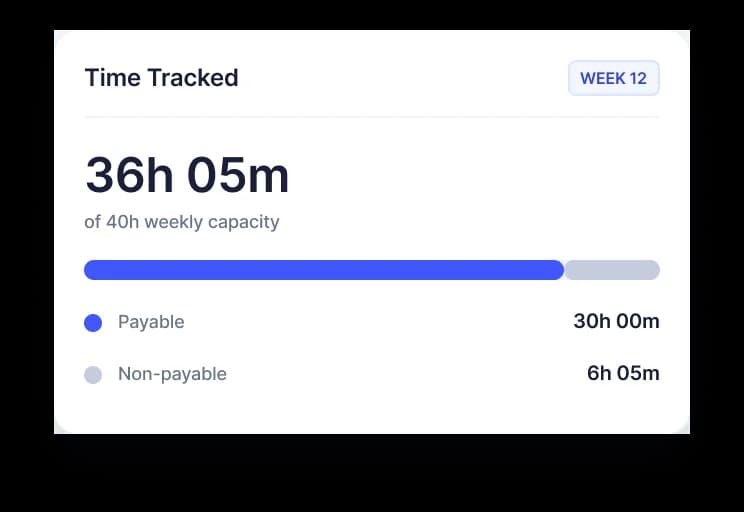
Payable Hours, Separated
Split payable from non-payable time and see tracked hours against each person’s weekly capacity.
A Closer Look at Time Tracking Features
Gain a comprehensive view of your team's work hours and performance with intuitive dashboards, easy-to-use time logs, and powerful reporting tools.
Gain Complete Visibility
Monitor work hours, online presence, and breaks all in one centralized dashboard to keep track of your team's productivity in real time.
One Timer, Counted Everywhere It Matters
The timer inherits the task and project you started it on, so hours arrive already categorised. From there they settle into payroll, into approval queues and into your reports, untouched.
FEEDS IN
Tasks & Projects
Start the timer on a task and it inherits the project, so time is categorised before you stop.
Sprints
Sprint work is what fills the week's timesheet, without a second place to record it.
Workload Settings
Your daily limit and weekly capacity decide what counts as payable and what counts as over.
TIME TRACKER
FLOWS OUT
Payroll
Approved hours feed hourly and per-project salary structures with no re-keying at all.
Approvals
Timesheets reach a review queue that separates payable hours from time over the limit.
Reports & Dashboard
Peak hours, most productive day and total time per project, without building a report.
Take Control of Your Time with Kazentic!
Start tracking your team's work hours with precision and efficiency. Get started today and take productivity to the next level.