
Empowering Freelancers with Kazentic
Work Solo, Stay Organized, and Impress Your Clients
- Manage projects, deadlines, and deliverables in one place.
- Store and organize files effortlessly.
- Keep a log of your work hours directly in the dashboard.
- Create and send invoices without switching tools.
- Eliminate scattered tools and spreadsheets for a polished workflow.
THIS WEEK
24h 30m
Orbital Freight
Brand refresh
12h 00m
Lumen Health
Landing page
8h 30m
Cadence Labs
Design system
4h 00m
Billable at $65 / hour
$1,592.50
Invoice #024 sent
Orbital Freight · $780.00
Paid in 3 days
Reminders on
A Workspace Per Client
Separation without extra tools. Each client is a project with its own identifier, statuses, custom fields and board — and briefs, assets and deliverables sit on the work they belong to.
Project Per Client
Its own identifier, statuses, fields and board.
Group and Filter
See every client’s work, or only what is due today.
Files & Tags
Briefs, assets and deliverables stored with the work itself.
Bill for Every Hour
The record builds itself as you work. Start the timer on the task, stop when you are done, and let the Payable view keep billable hours apart — then export a defensible week when you bill.
Timer on the Card
No separate time app: the clock runs on the task itself.
Payable View
Billable hours kept apart from everything else.
Weekly Timesheet
An hours record you can export and attach when you bill.
Professional From Email One
Intake and communication that read as a studio, not a solo inbox. A real form with validation replaces the questionnaire in an email, and client threads carry tags, attachments and sends.
Intake Forms
Validation and a proper field library, not an email list.
Shared Inbox
Threads with tags, attachments and scheduled sends.
Calendar
Calls and deadlines with the join link on the event itself.
Keep Your Thinking
The notes that win the next project. Ideas, decisions and meeting notes stay pinned and searchable, proposals live as docs with their tasks attached, and reports show a client what was done.
Notes
Idea, Decision and Meeting types, pinned or archived.
Docs
Proposals and scopes with their linked tasks inline.
Reports
Time and task reports per client, ready to show as they are.
Everything a Freelancer Touches, in One Workspace
Six modules doing the work of six tools — a studio back office, run by one person.
Projects
Open a client and everything you have ever done for them is there.
Time Tracker
A running timer per task and a weekly total you can bill from.
Forms
Briefs, feedback and sign-offs collected on a form, straight into the project.
Inbox
Client mail kept beside the work it is about, tagged and scheduled.
Notes
Meeting notes and decisions that stay with the client, not in a notebook.
Reports
Hours and progress per client, in a view you can send as it is.
The Week You Bill, Two Ways
On the left, every client needs its own folder, chat and spreadsheet. On the right, one project.
THE USUAL WEEK
Without Kazentic
- A folder, a chat and a spreadsheet per client
- Billable hours reconstructed from memory
- Briefs buried in email threads
- “Where are we?” answered by writing an update
- Deadlines tracked in your head
THE SAME WEEK
With Kazentic
- One project per client, with everything attached
- The timer runs and the Payable view totals it
- Intake collected by form, stored on the project
- A board you can show instead of describing it
- Calendar, due dates and reminders in one place
Your studio, run by one person
A Clean Room Per Client
Statuses, custom fields and files that belong to one client only.
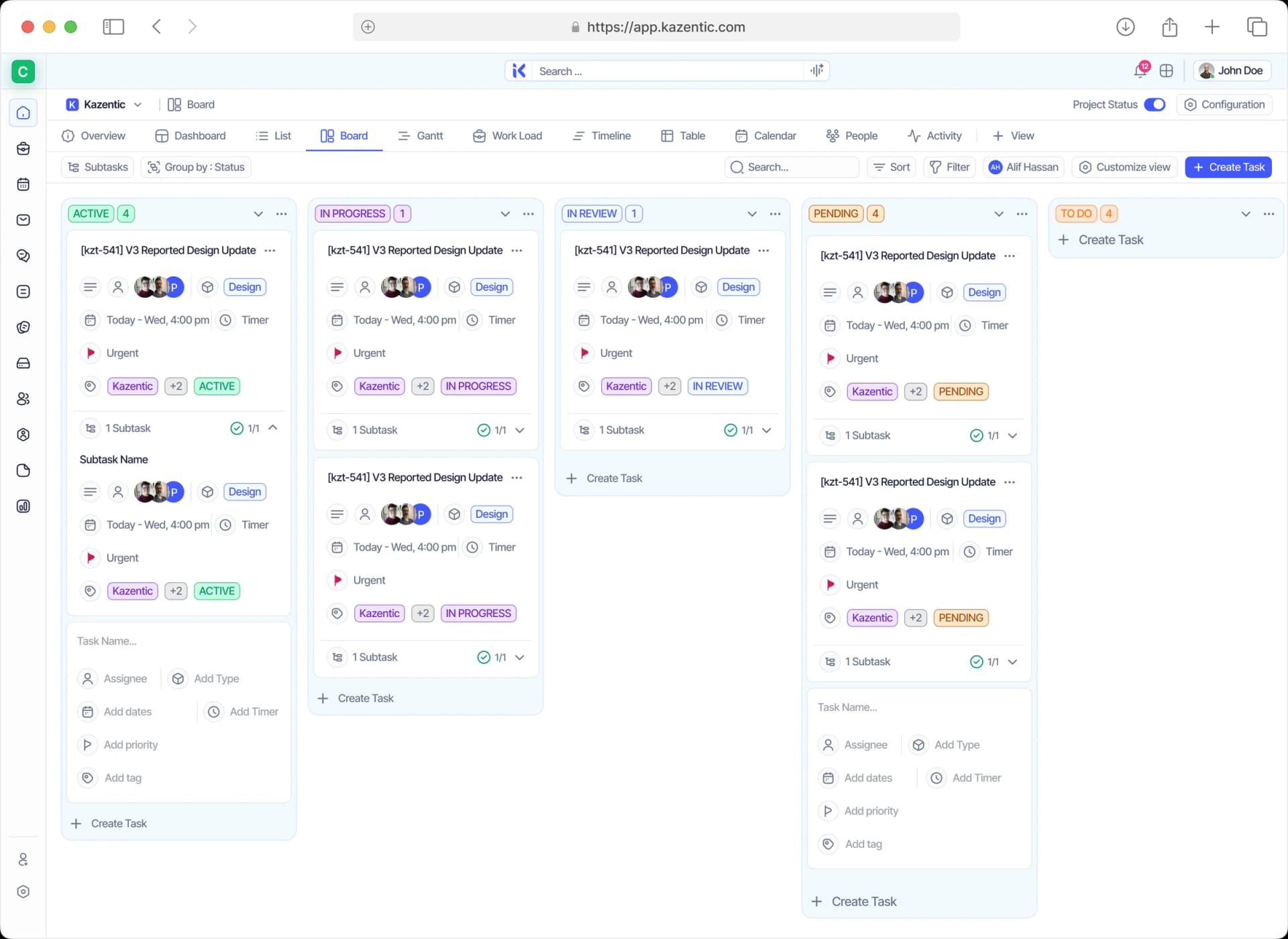
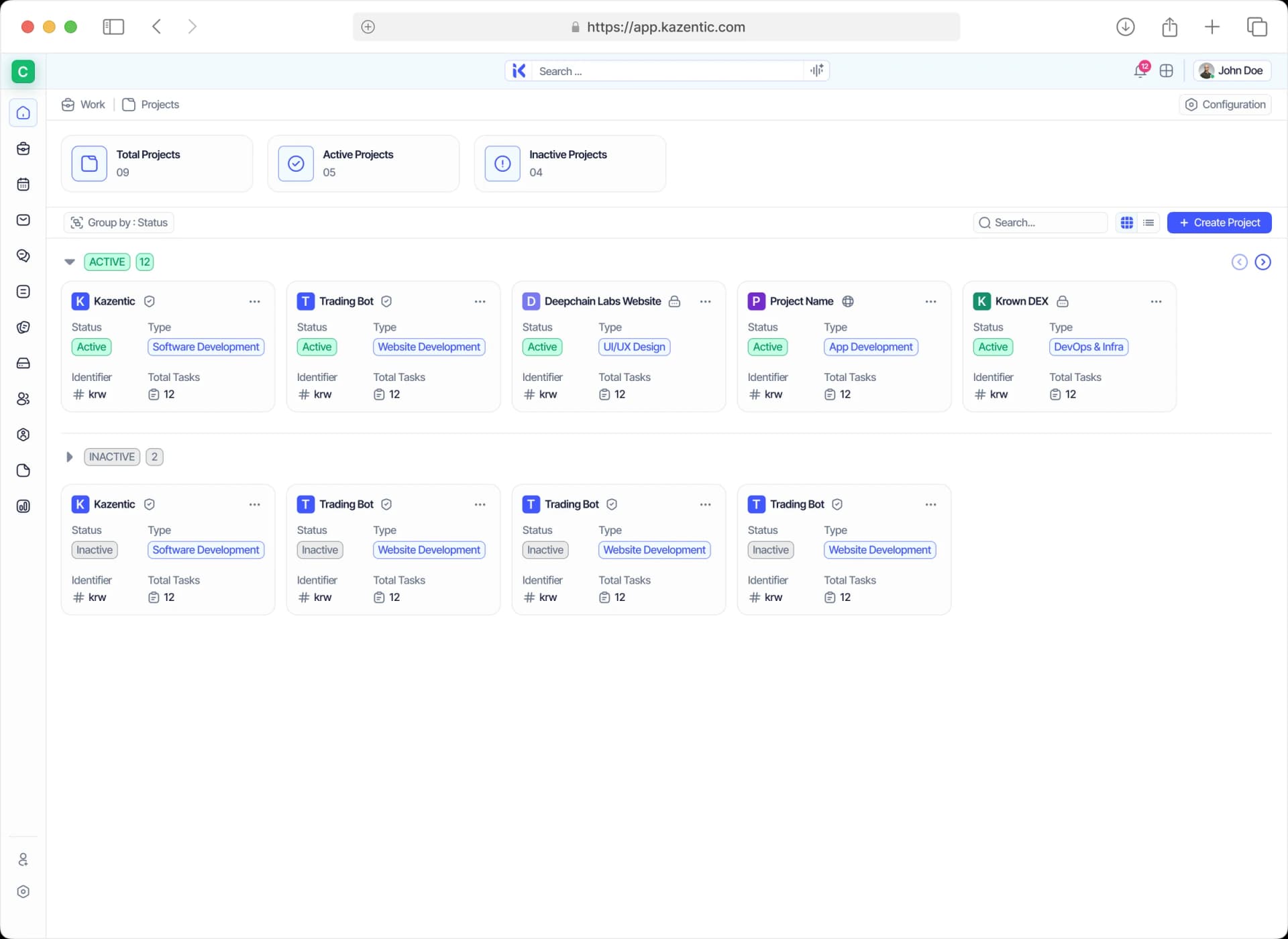
Empower Freelancers With Kazentic
Freelancers run on agility. Kazentic streamlines everything from project planning to the hours you bill, so clients see a professional operation.
Scalable Workflow
Add a client, add a project — nothing else about your setup changes.
Efficiency & Focus
Tasks, files, intake and billable hours in a single cohesive system.
Professional Client Experience
Polished boards and reports that make a one-person studio look established.
Discover what freelancers think about Kazentic

Sabrina Akter
Freelance Brand DesignerEvery client has one project. Nothing lives in my inbox now.

Lukas Brandt
Independent DeveloperThe timer runs on the task, so invoicing takes ten minutes.

Margaux Lefevre
Freelance CopywriterAn intake form replaced the questionnaire I used to email.

Vikram Sethi
Freelance ConsultantPayable hours are already totalled by the time I bill.

Adaeze Nwosu
IllustratorI show clients the board instead of writing an update.
Sabrina Akter
Freelance Brand DesignerEvery client has one project. Nothing lives in my inbox now.
Lukas Brandt
Independent DeveloperThe timer runs on the task, so invoicing takes ten minutes.
Margaux Lefevre
Freelance CopywriterAn intake form replaced the questionnaire I used to email.
Vikram Sethi
Freelance ConsultantPayable hours are already totalled by the time I bill.
Adaeze Nwosu
IllustratorI show clients the board instead of writing an update.