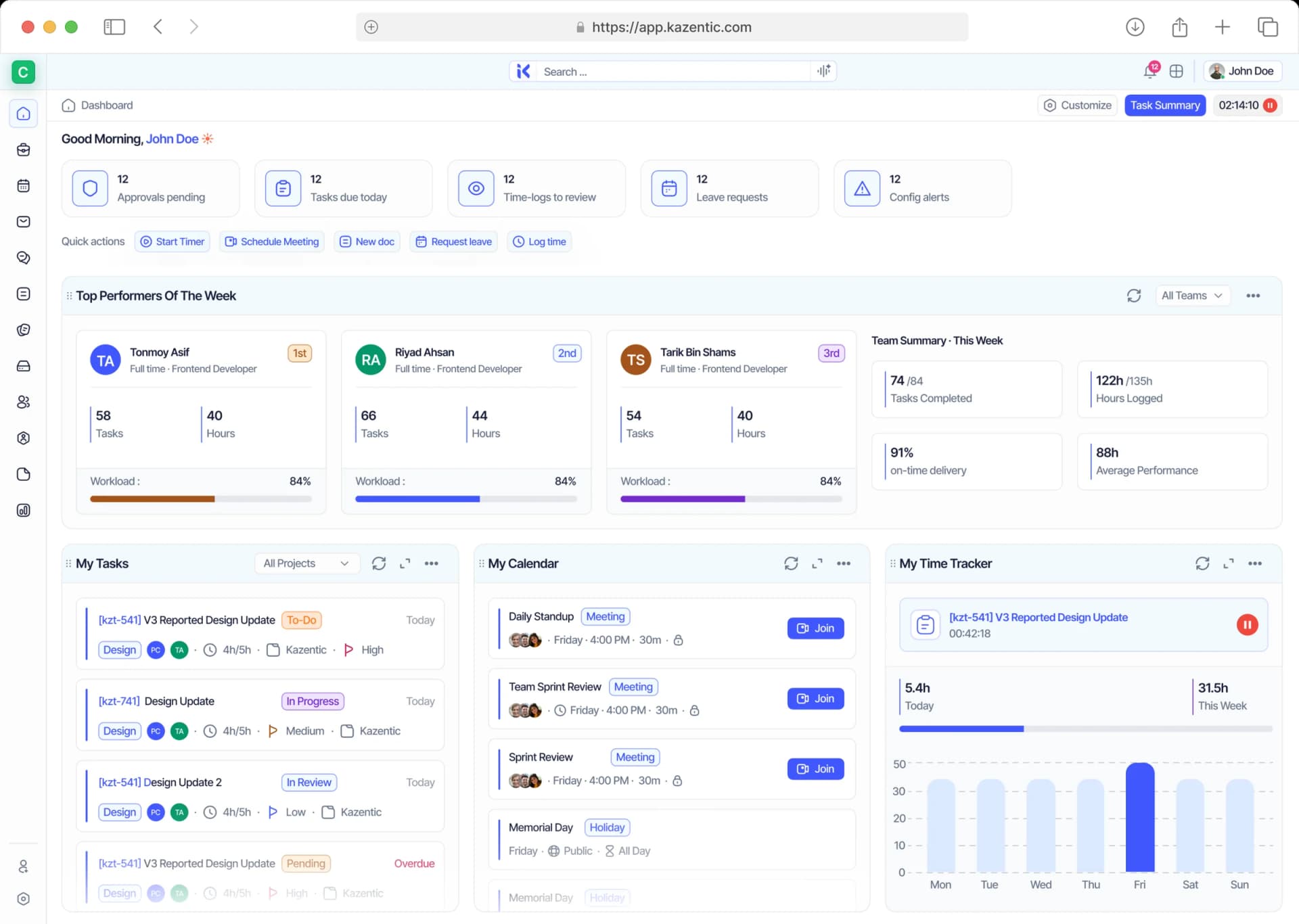
Company Announcements That Actually Get Read
Share policy changes, maintenance windows and team news with exactly the people they affect — scheduled in advance, sorted by urgency, and tracked so you know who's read them.
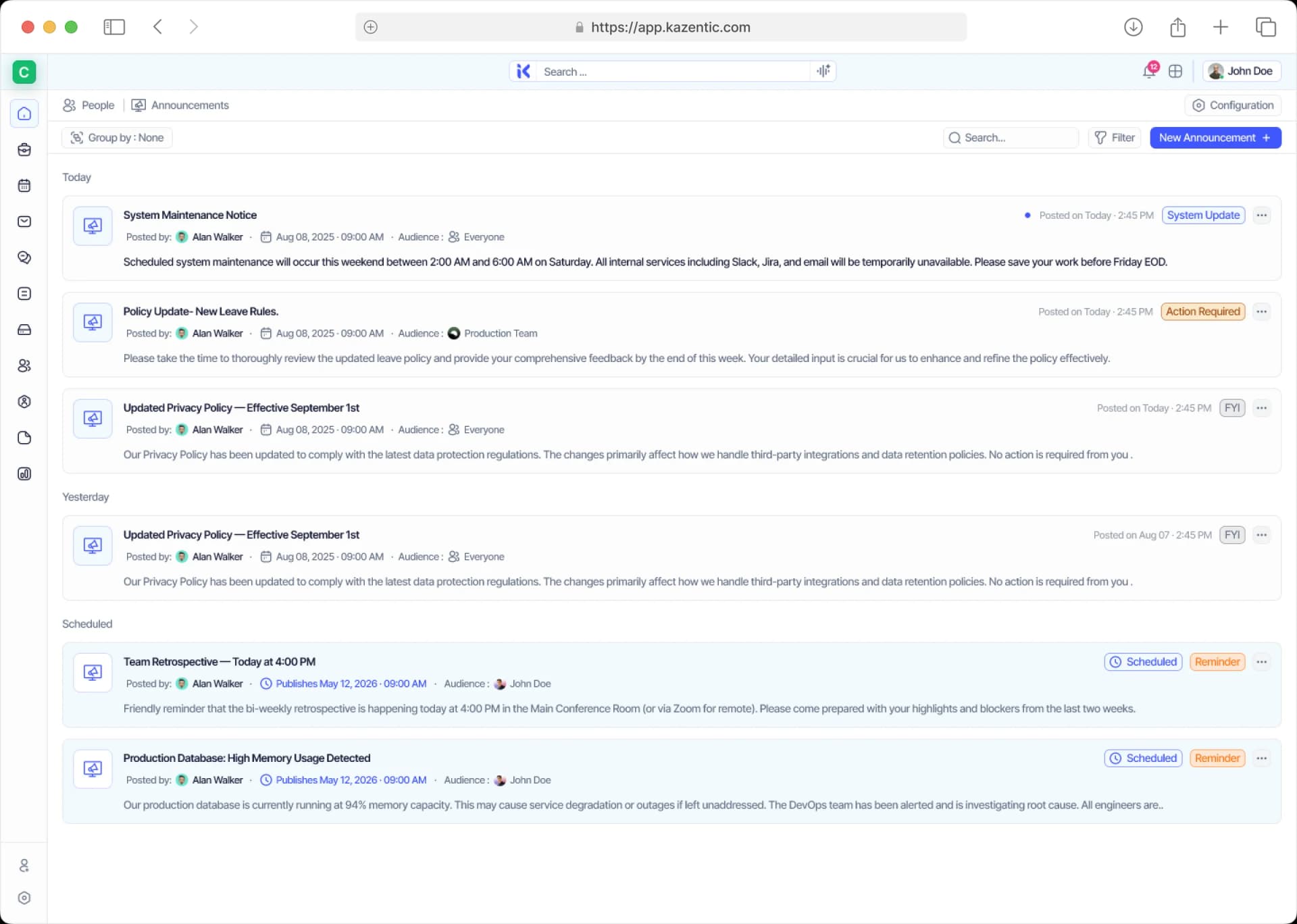
Key Features
AI
Scheduled Publishing
Scheduled Publishing
Occasion Dates
Occasion Dates
Unread Badges
Unread Badges
Dashboard Integration
Dashboard Integration
Announcement Types
Announcement Types
Read Receipts
Read Receipts
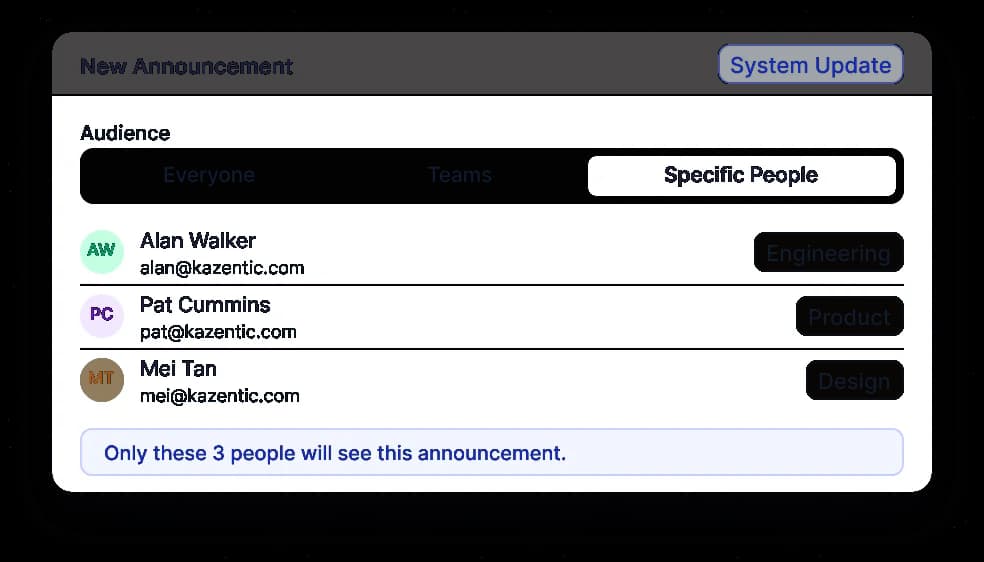
Team & People Targeting
Team & People Targeting
Custom Type Setup
Custom Type Setup
Group & Filter
Group & Filter
Rich Text Content
Rich Text Content
From Buried in Chat to Read by Everyone Who Matters
Kazentic takes the guesswork out of internal comms, so every notice reaches the people it applies to, arrives when it should, and comes with proof that it landed.
Without
Kazentic
No Idea
Who Read It
Blasted
To Everyone
Buried
In Chat Threads
With
Kazentic
Pinned
In One Feed
Targeted
By Team
Tracked
Read Receipts
Say Goodbye to Buried Notices and Hello to Full Visibility
Enjoy an announcement experience that keeps everyone informed, cuts the noise for people it doesn't affect, and shows you exactly who's read what.
Targeted Audience Control
Send to everyone, to specific teams, or to named individuals, so a notice only lands with the people it actually applies to.
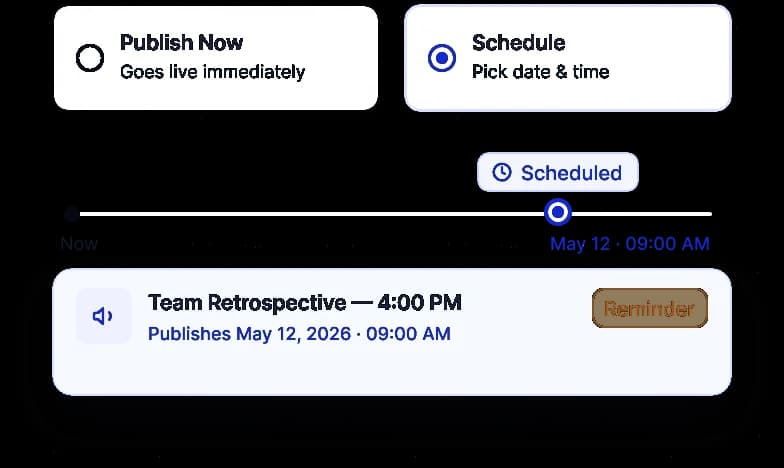
Publish or Schedule
Publish immediately, or set a date and time and let it go out on its own. Scheduled announcements sit in their own group until they're live.
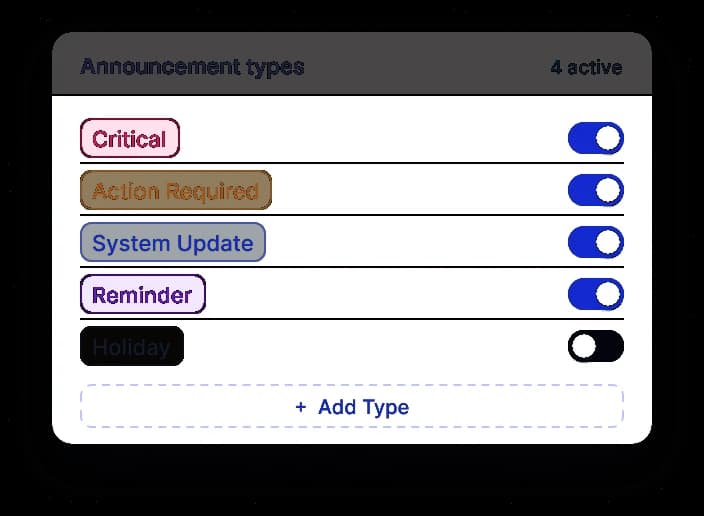
Typed by Urgency
Label each notice Critical, Action Required, FYI or a type you define, so people can triage at a glance.
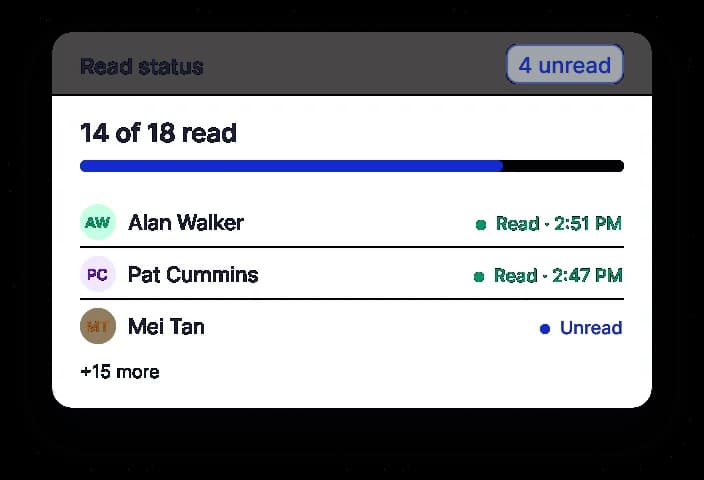
Know Who's Read It
Unread counts and a dedicated Unread group show what's landed and who still needs to see it — no follow-up ping required.
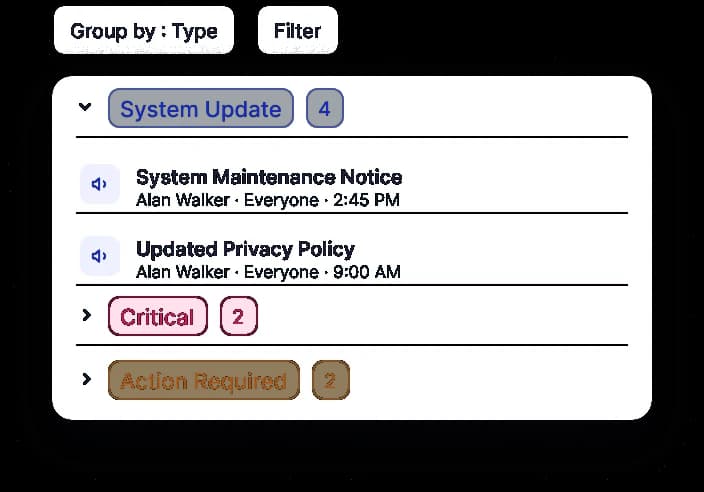
Find Any Notice
Group by type, schedule or unread, and filter by who posted it, who it's for, and when it publishes.
A Closer Look at Announcements in Kazentic
From drafting a notice to tracking who's read it, see how Kazentic keeps company communication targeted, timed and accountable in one place.
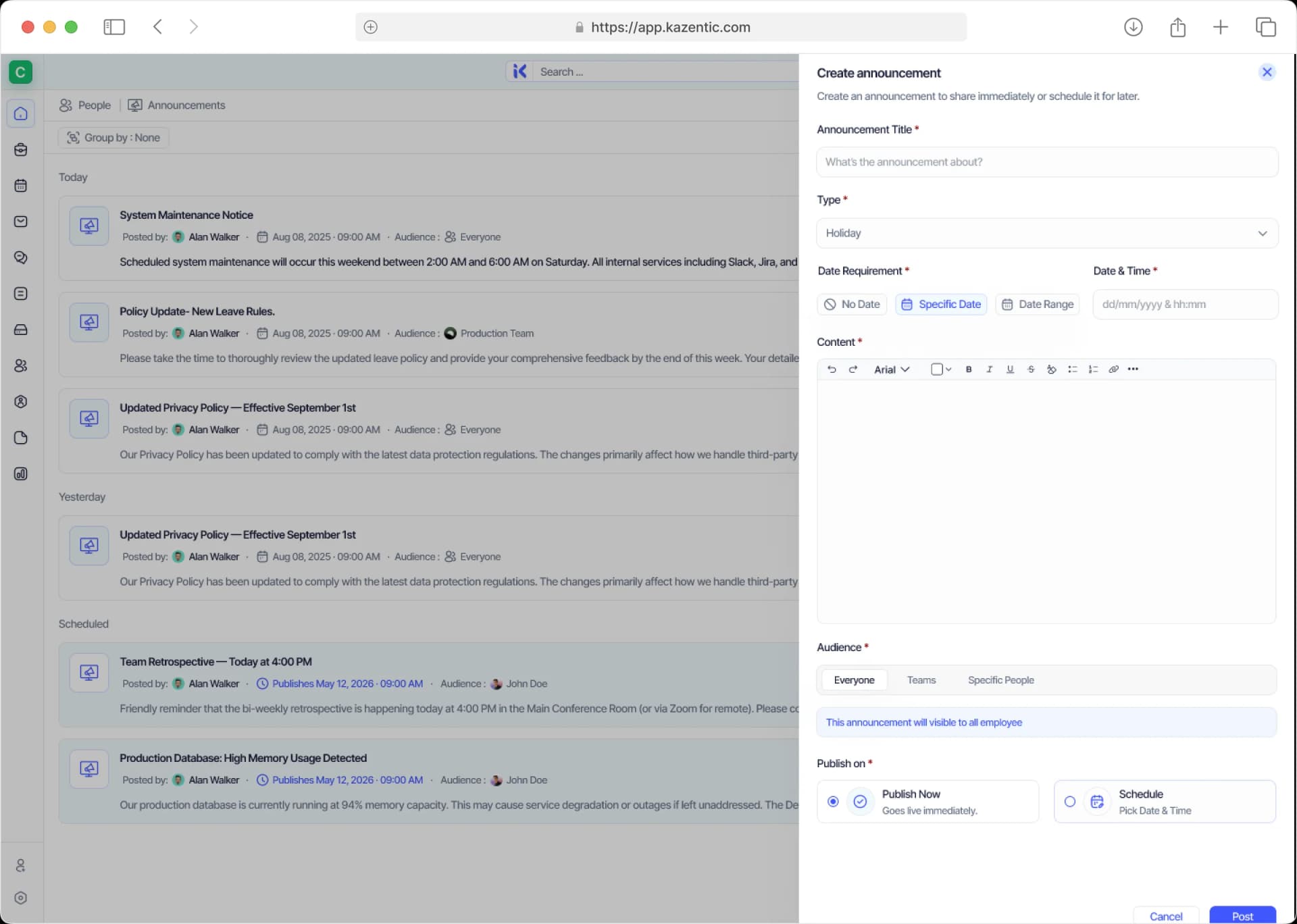
Post an Announcement in Seconds
Give it a title, pick a type, write the content, choose who sees it, and publish now or schedule it — all from one panel.
Post Once, Reach Exactly the Right People
Audiences come from the teams you already maintain, so targeting is a choice rather than a mailing list. After it goes out you can see who has genuinely read it, not just who received it.
FEEDS IN
Members & Teams
Target everyone, specific teams or named individuals, all from the same directory.
Notice Types
System Update, Reminder, Holiday, Action Required, FYI and Critical all ship preset.
Schedule
Publish now or set a time for later, then override that without rewriting anything.
ANNOUNCEMENTS
FLOWS OUT
Chat
Every notice lands in the Announcements channel the moment it actually publishes.
Dashboard
An unread count sits on every member's home screen until they have actually cleared it.
Read Tracking
Group by unread to see who has genuinely read the notice, rather than just received it.
Ready to Make Sure Everyone Gets the Message?
Start sending announcements that reach the right people, land on time, and never get lost in a chat thread again.