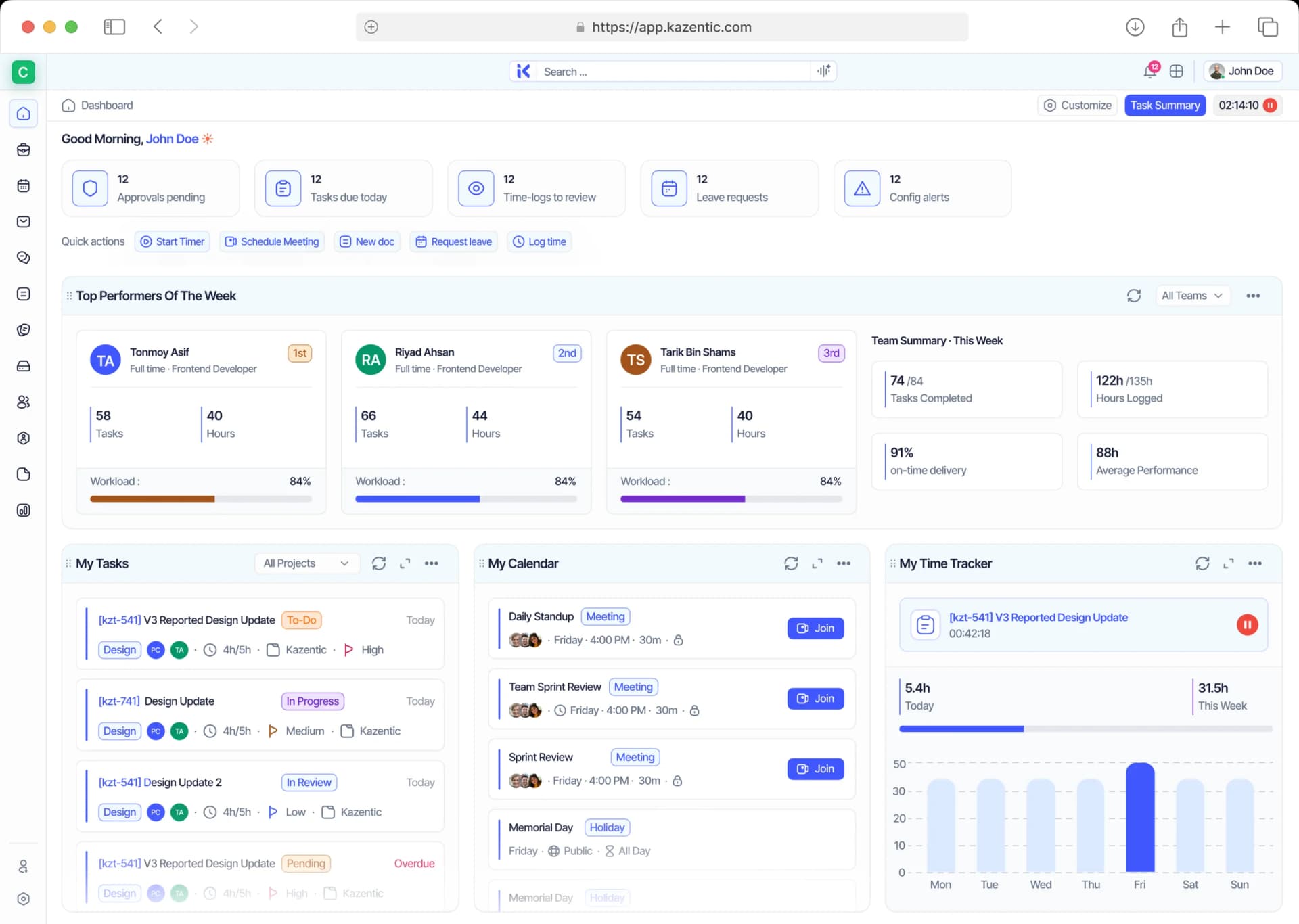
Leave That Tracks Itself, Down to the Working Day
Requests, balances, approvals and supporting documents live in one place. Kazentic counts the working days, shows what's left before anyone submits, and keeps every decision on the record.
Key Features
AI
Per-Member Leave Ledger
Per-Member Leave Ledger
Leave History
Leave History
Supporting Documents
Supporting Documents
Self-Service Requests
Self-Service Requests
Live Leave Balances
Live Leave Balances
Working-Day Duration
Working-Day Duration
Group by Status or Type
Group by Status or Type
Configurable Leave Sessions
Configurable Leave Sessions
Inline Approvals
Inline Approvals
Leave Types
Leave Types
From Chased Emails to Cleared Requests
Spreadsheet balances, forwarded emails and "how many days do I have left?" Kazentic replaces the whole loop with live balances, working-day math and one-click approvals, so requests get answered while they still matter.
Without
Kazentic
Manual Working
Day Counting
Requests Lost In
Email Threads
Balances In A
Spreadsheet
With
Kazentic
Live Balance Per
Leave Type
One-Click Approve
Or Reject
Working Days
Counted For You
Every Request, Balance and Decision in One Place
From the moment someone picks a date to the approval that lands in their history, Kazentic does the counting, shows the balance and keeps the paperwork attached - so managers decide instead of calculating.
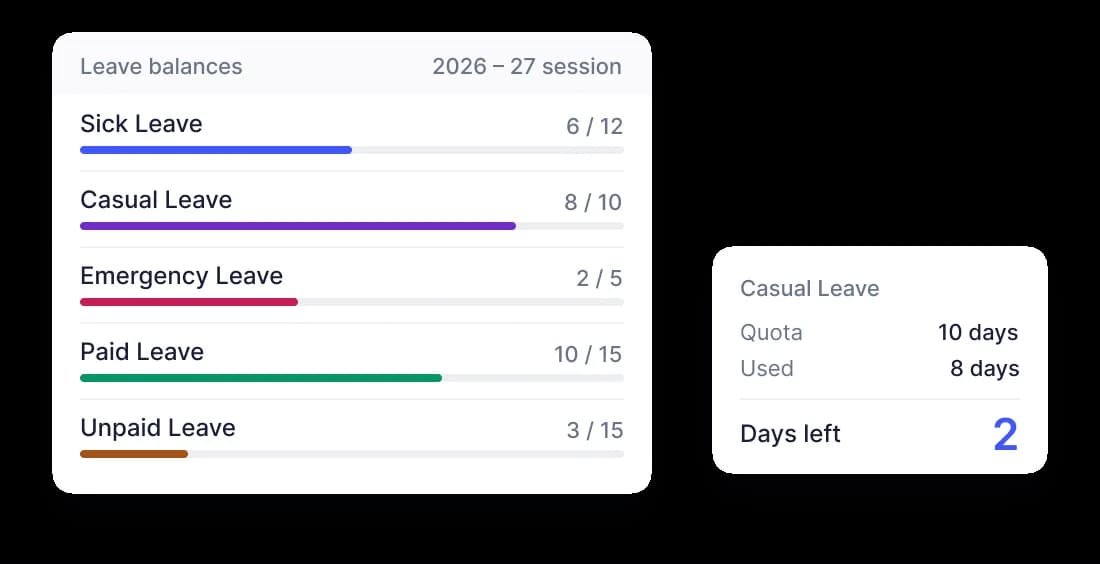
Balances That Are Always Right
Every leave type carries its own quota. Used and remaining update the moment a request is approved - for the member and for you.
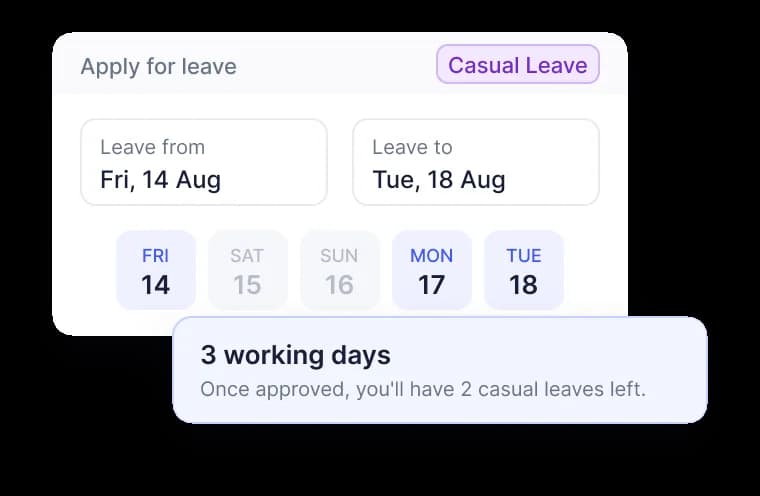
Working Days, Counted for You
Pick two dates, and Kazentic shows the actual duration and the member's remaining time before submission.
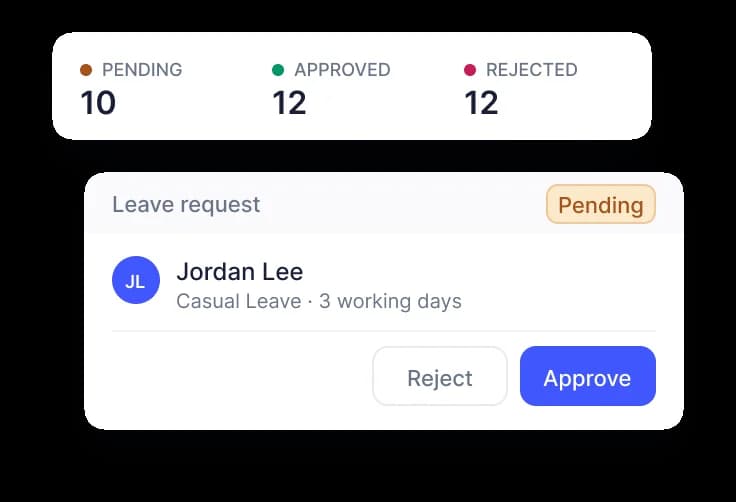
Approve or Reject in One Click
Pending requests sit in one table with reason, dates and files attached. Decide from the row, or open the full detail first.
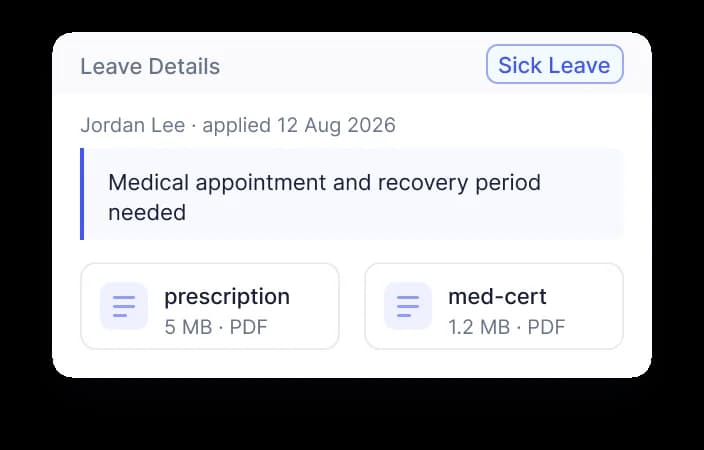
Reasons & Documents Attached
Members add a reason and supporting files with the request, so sick notes and letters travel with it instead of arriving by email.
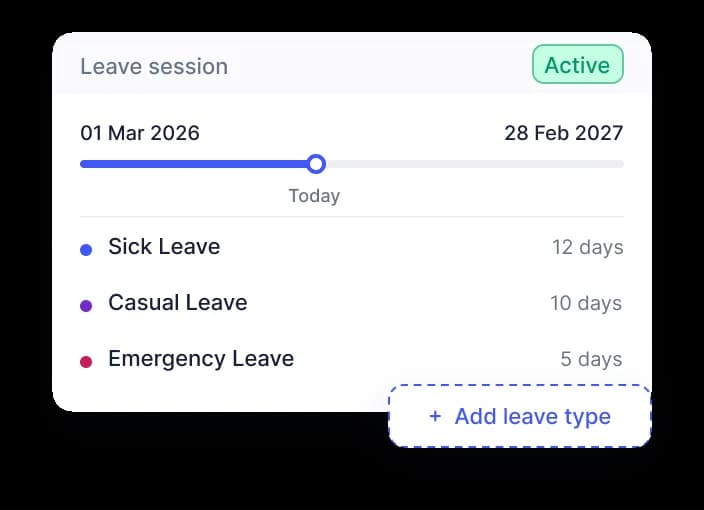
Leave Types & Sessions You Set
Define your own leave types and quotas, then run them against a leave session that matches your policy year, not the calendar.
See Who's Off, What's Left and What's Waiting
Leave lives next to the people it belongs to. Members apply and watch their own balances; managers see the whole organisation's requests, grouped and filtered however they review them.
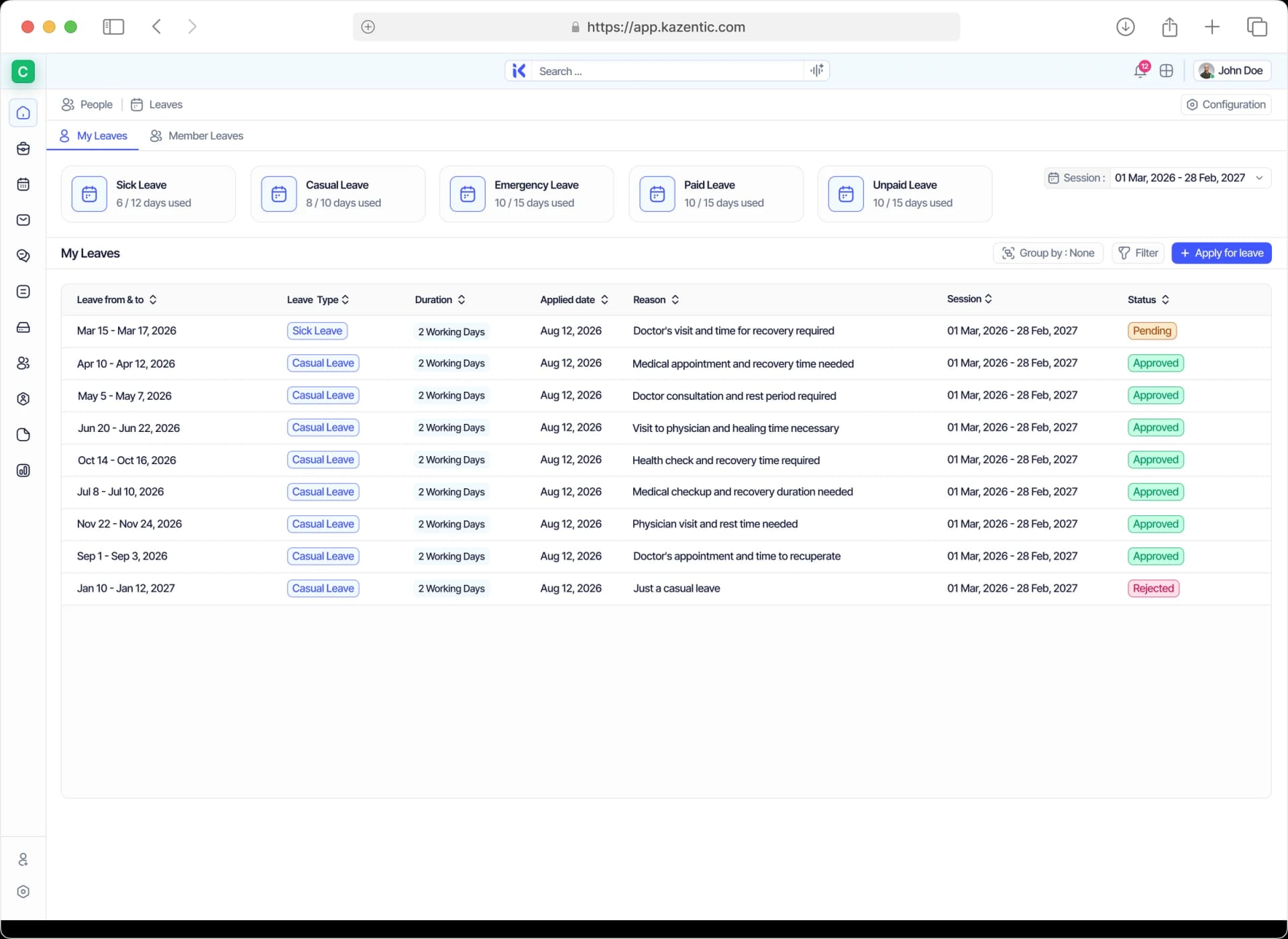
Your Leave, Your Balances, One Screen
See every leave type's quota and what you have used, every request you have made with its status, and apply for the next one without leaving the page.
Approve a Leave Once, Everything Else Updates
Balances and working days come from records you already keep, so a request costs the right number of days. Approve it and the calendar, the payslip and everyone's view of availability follow.
FEEDS IN
People
Entitlements and the remaining balance come straight from the employee record.
Working-Day Calendar
Leave types, weekends and holidays decide what a request actually costs in days.
Teams
Requests route to the right approver automatically, based on who reports to whom.
LEAVES
FLOWS OUT
Calendar
Approved leave blocks the day for the whole team, so nobody schedules over it.
Payroll
Unpaid days are deducted on the next payslip without anyone tracking them by hand.
Availability
The member shows as In Leave everywhere they appear across the workspace.
Put Your Next Leave Session on Kazentic
Set up your leave types, load your quotas, and let the balances take care of themselves.