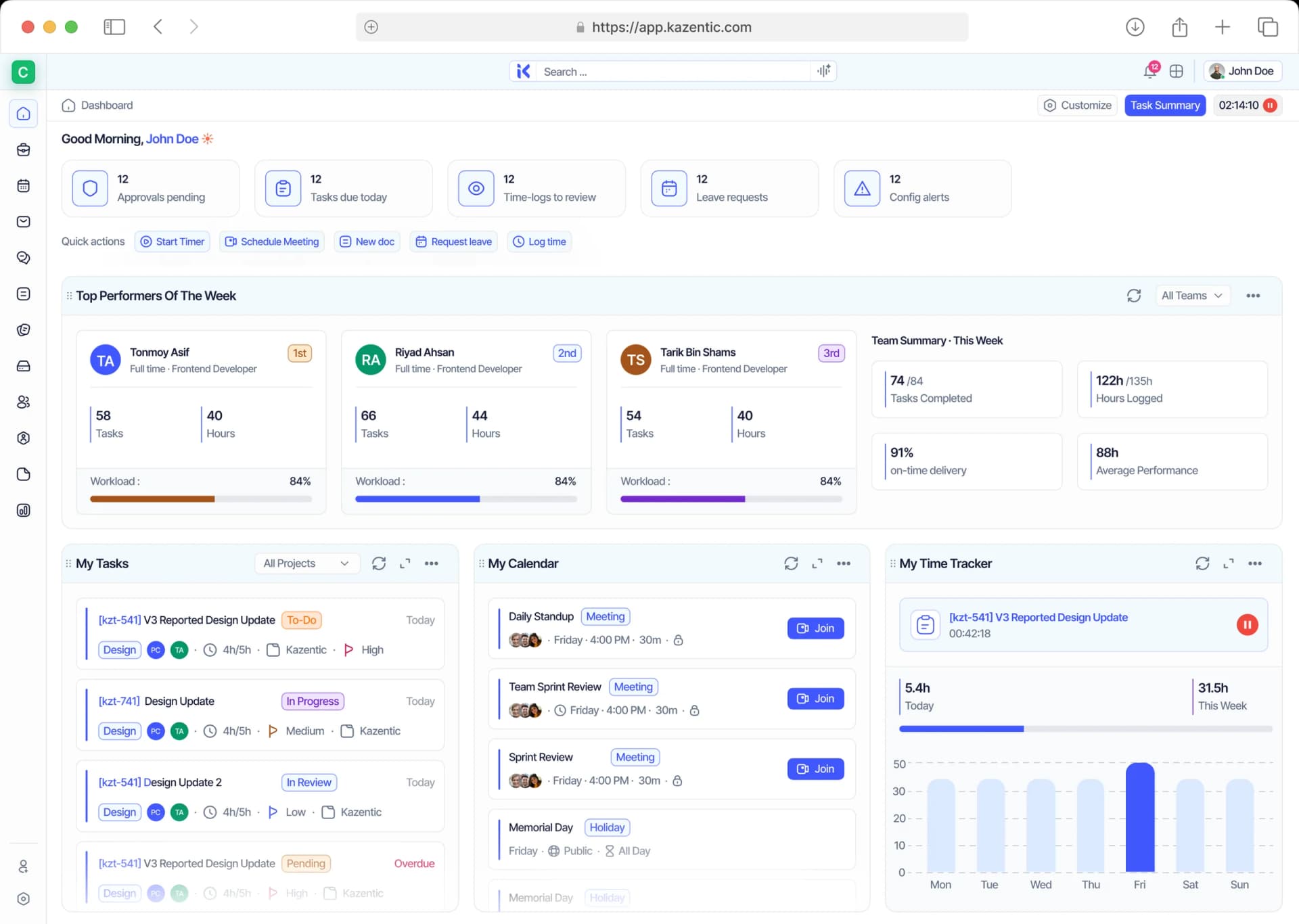
Keep your Sprint rolling with easy task management
Streamline sprint planning and execution with tools that help you assign, prioritize, and monitor tasks to keep your team focused and on track.
Key Features
AI
Seamless Teamwork
Seamless Teamwork
File Attachments
File Attachments
Issue Linking
Issue Linking
Sprint Board Integration
Sprint Board Integration
Task Labels & Tags
Task Labels & Tags
Time Tracking
Time Tracking
Subtasks & Dependencies
Subtasks & Dependencies
Task Prioritization
Task Prioritization
Status Updates
Status Updates
Task Assignment
Task Assignment
From Chaos to Clarity: A Smarter Way to Manage Tasks
Kazentic takes the complexity out of task management, ensuring smooth execution with powerful features that help you prioritize, delegate, and complete tasks efficiently.
Without
Kazentic
Lost Task
Related Files
Missed
Deadlines
Unclear
Task Priorities
With
Kazentic
Clear
Task Priorities
On-time
Delivery
Centralized
Sprint Flow
Say Goodbye to Guesswork and Hello to Predictable Sprints
Plan against real capacity, watch effort burn down as it happens, and close every sprint knowing exactly what changed.
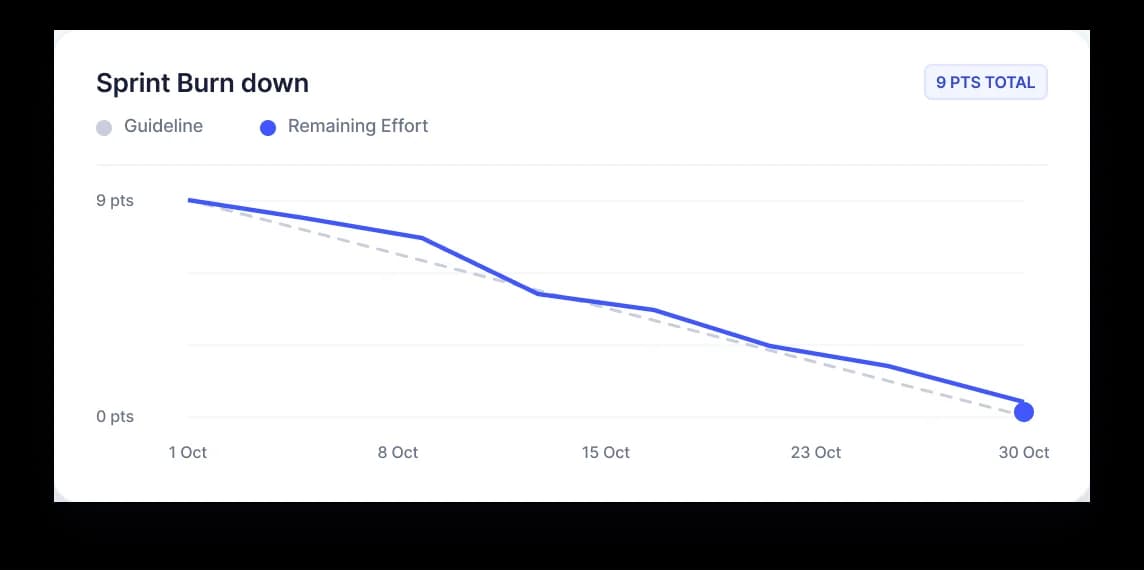
Live Burn Down Charts
Track remaining effort against the ideal guideline in real time, with your non-working days already excluded from the slope.
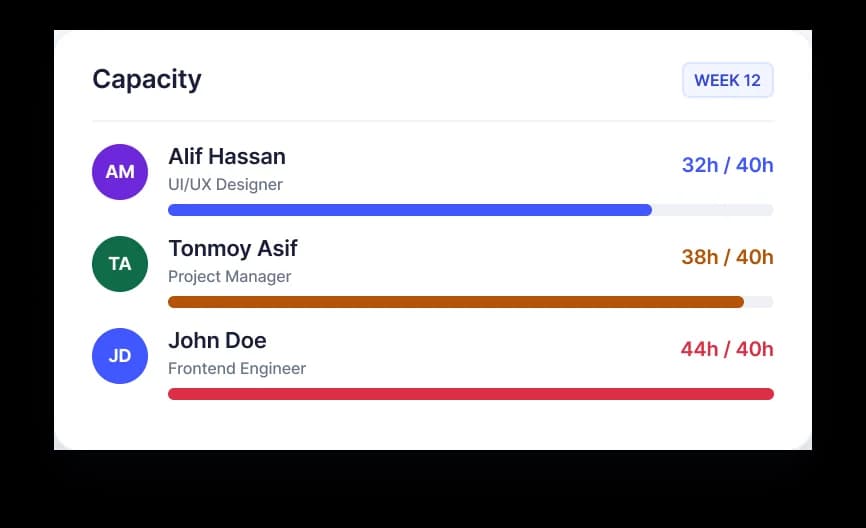
Capacity-Aware Planning
See assigned hours against each person's real daily and weekly capacity - before you commit the sprint, not after.
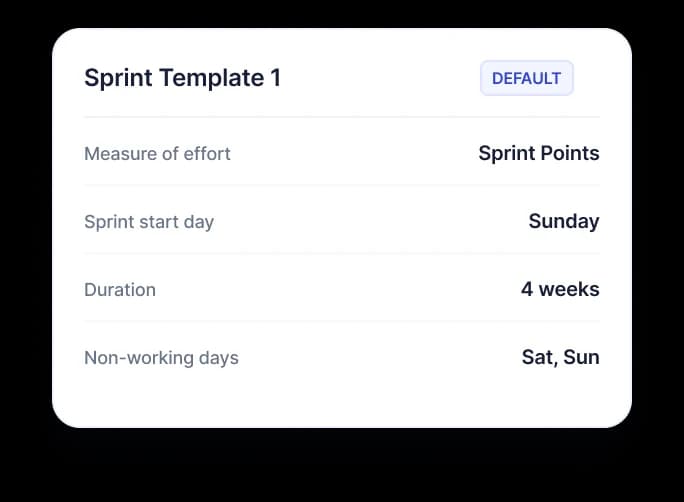
Reusable Sprint Templates
Set your sprint once start day, length, workdays, timezone, and name. These apply to every sprint.
Scope Health Alerts
Kazentic spots tasks that lack assignment, estimates, or points so you can fix them in time.
Sprint health
4 ISSUESMissing Effort
1 task needs an estimate
Missing Sprint Points
2 tasks without points
Unassigned
1 task missing assignee
Committed vs Delivered
Check what was committed, added, removed, done, or left behind even changes after the sprint ended.
Sprint Task Report
Committed
9 pts
Added
3 pts
Removed
2 pts
Completed
7 pts
Remaining
2 pts
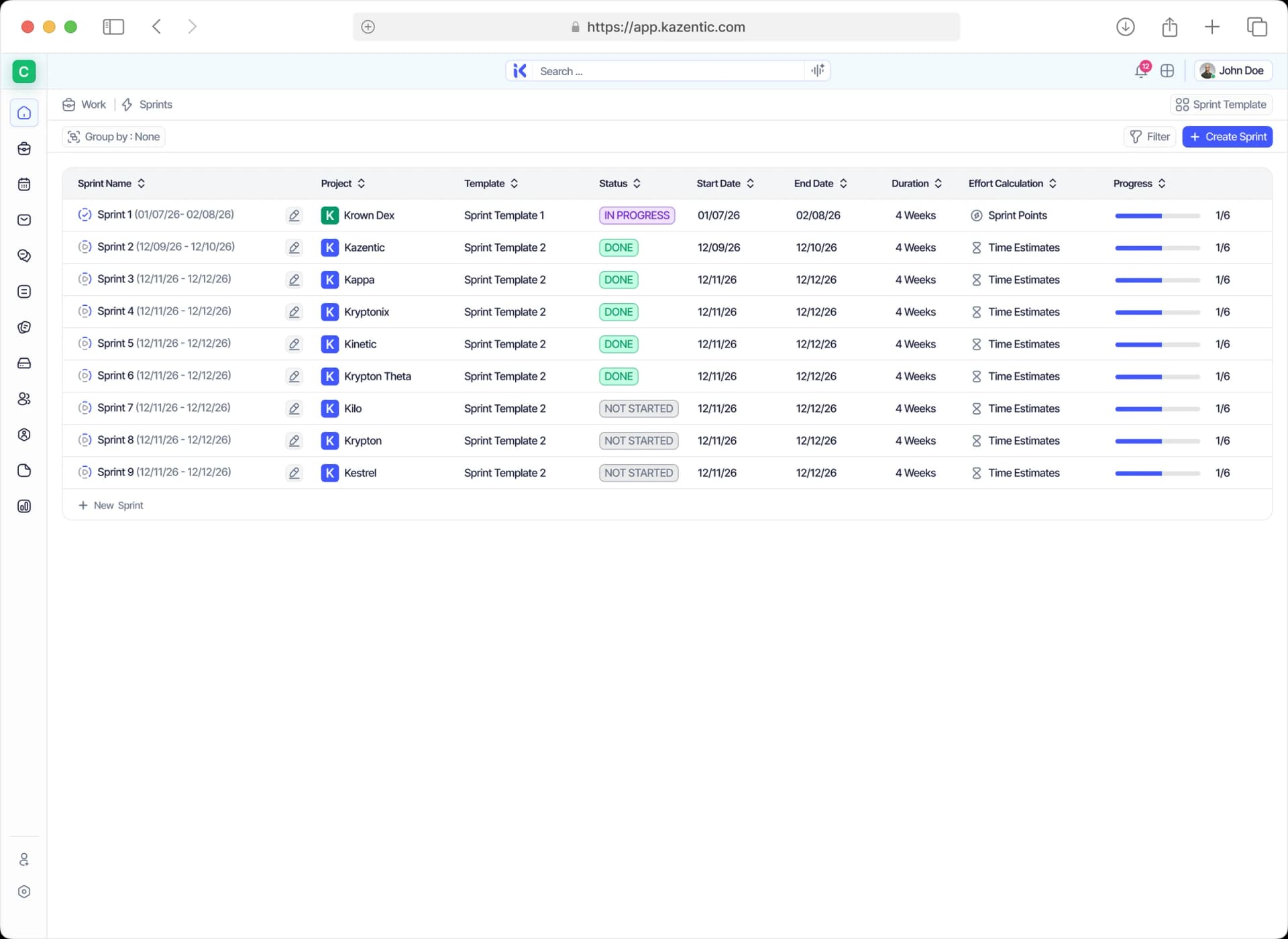
A Closer Look at Sprint Management in Kazentic
From planning a sprint to closing it out, see how Kazentic keeps scope, effort and capacity in one place — so every sprint ends where you said it would.
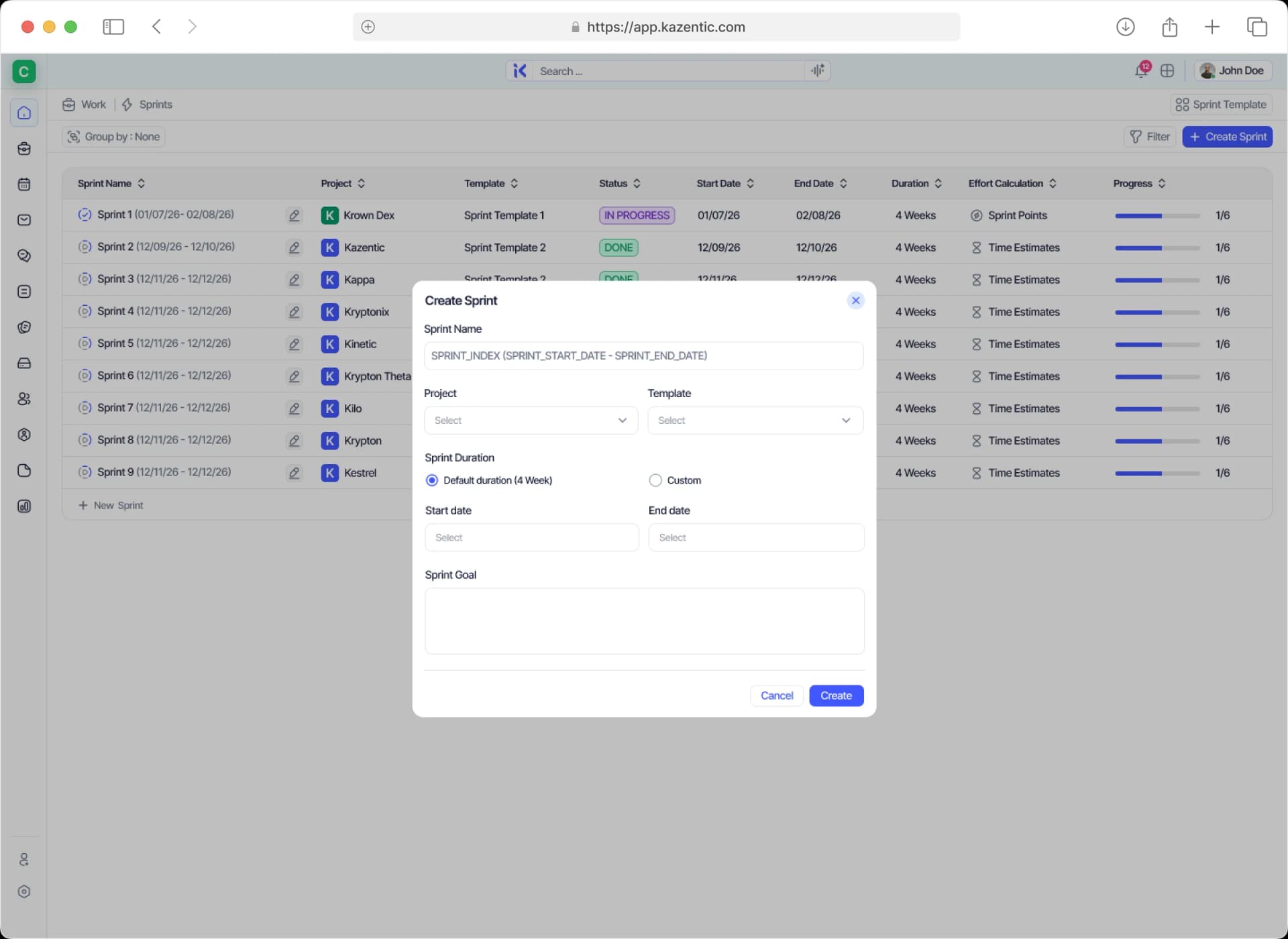
Plan a Sprint in Minutes
Name the sprint, set its goal, pick the project and template, and the dates and duration fill themselves in from your cadence.
Sprints Built From Work You Already Track
Scope comes out of the same backlog your team works from every day, and capacity comes from the directory. What the sprint produces goes back out as hours, charts and a schedule everyone can see.
FEEDS IN
Tasks & Projects
Add tasks that already exist to a sprint, so nothing has to be re-written into a new backlog.
Members & Workload
Weekly capacity and current load per person decide what the sprint can realistically hold.
Sprint Templates
Categories, durations and ceremonies carry over, so each cycle starts already configured.
SPRINTS
FLOWS OUT
Time Tracking
Hours logged against sprint tasks are what the burndown chart is actually drawn from.
Calendar
Sprint start, sprint end and the review meeting land on the whole team's schedule.
Reports & Dashboard
Sprint progress, velocity and the task report roll up into the workspace overview.
Ready to Supercharge Your Sprint Management?
Start managing your sprint more effectively with Kazentic. Stay organized, delegate smarter, and complete tasks on time